
DokuWiki
Enhancing Your DokuWiki Forms with Custom JavaScript - Replacing Newlines with Markdown-Friendly Syntax
Author(s): Louis Ouellet
DokuWiki is a fantastic tool for creating and managing content collaboratively. However, working with custom markdown can sometimes be a hurdle, especially for users who aren’t familiar with its nuances. For instance, when dealing with form inputs, DokuWiki users often encounter issues with preserving newlines (\n) during form submission. To simplify this, I’ve developed a JavaScript solution that automatically converts \n to \, ensuring that forms work seamlessly with DokuWiki’s markdown syntax.
This script not only streamlines the user experience by handling markdown transformations but also makes it easier to display form inputs correctly. It’s particularly useful when forms are used in namespaces requiring strict markdown compliance. In this tutorial, I’ll show you how to set up and use this script in your DokuWiki instance.

Enhancing Tablet Responsiveness: Updates to Writr v2024-11-08
Author(s): Louis Ouellet
In our last update to Writr, we focused on optimizing the mobile experience. This time, we’re shifting our attention to enhancing the tablet experience. Here’s a breakdown of what’s new:
- Optimized Tablet Layout: We’ve redesigned the tablet layout to make better use of screen space. The sidebar is now fixed, allowing quick access to sidebar content and the site-tools menu at any time.
- Improved Reading Comfort: We’ve refined the typography and layout to enhance readability on tablets. The content area now spans the full screen width, creating a more immersive reading experience.
- Classic Left Border Reintroduced: We’ve restored the original left border to the content area, aligning with the theme’s classic design. This small detail adds a polished touch to the overall look.
- Streamlined Page Tools: We’ve reorganized the page tools, positioning them in a consistent location with the standard view for quick and easy access.
Bringing Back the Original Charm: Updates to Writr
Author(s): Louis Ouellet
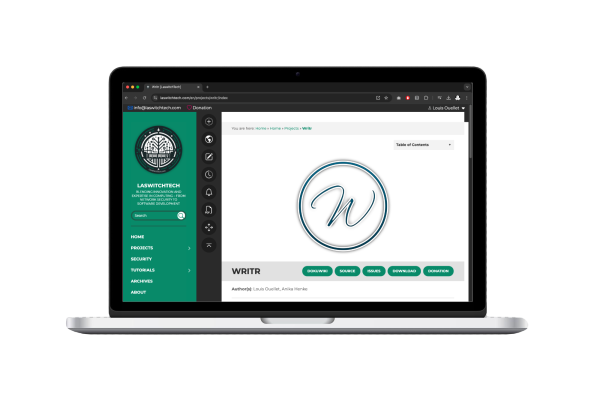
The Writr theme has always been known for its clean, modern aesthetic, popularized by its distinctive title styling on WordPress. In updating the Writr template for DokuWiki, I wanted to preserve this unique look while ensuring the template’s functionality works seamlessly with DokuWiki’s features. This update not only revives the original post and page title styling from WordPress but also introduces support for the include plugin, bringing new levels of flexibility and usability to your DokuWiki pages.
Enhancing Mobile Responsiveness: Updates to Writr
Author(s): Louis Ouellet
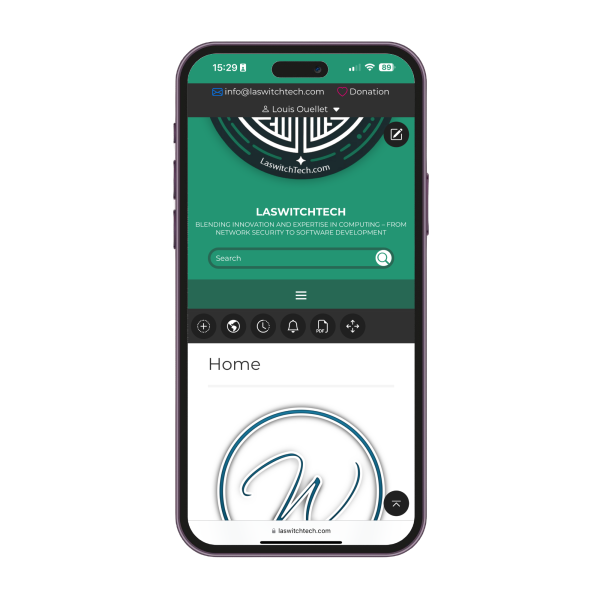
In a world where smartphones are our primary devices, it’s essential for tools like DokuWiki to deliver a seamless mobile experience. I maintain three separate DokuWiki instances for different projects, all using the Writr template, which was originally based on a WordPress theme of the same name. DokuWiki has become invaluable for creating, sharing, and organizing documentation collaboratively — something I consider crucial for any business.
The Writr template itself started as a conversion of a WordPress theme to fit DokuWiki. However, WordPress and DokuWiki serve quite different purposes, each optimized for its own unique style of content management. As the maintainer of the Writr template, I saw room for improvement to make DokuWiki more user-friendly on smaller screens, enhancing usability and accessibility for both myself and others who rely on this template for business documentation.

Enhancing DokuWiki with an Email Script for the Bureaucracy Plugin
Author(s): Louis Ouellet
Enhance your DokuWiki experience with a powerful email script for the Bureaucracy Plugin. This script streamlines communication, ensuring efficient data management and user interaction within your DokuWiki.

How to Build a Simple Ticketing System in DokuWiki
Author(s): Louis Ouellet
Ticketing systems are invaluable tools for managing tasks, issues, or support requests in an organized and efficient way. Whether you are running a help desk or just need a way to track internal issues, a ticketing system provides a centralized method to manage communication and resolve problems promptly. In this tutorial, we will guide you through building a simple ticketing system using DokuWiki and the Bureaucracy plugin. This approach allows you to leverage DokuWiki's flexible content management capabilities while offering an easy way for users to create and track tickets.
By the end of this guide, you will have a working ticketing system with pages for creating, viewing, and managing tickets. Let's get started!

How to Install DokuWiki on a LAMP Server
Author(s): Louis Ouellet
Today, we'll explore how to set up DokuWiki, a versatile and easy-to-use wiki software, on a LAMP (Linux, Apache, MySQL, PHP) server. This guide is ideal for those looking to create a personal or professional wiki without the complexity of larger platforms.